Risk Amount
Learn how to configure risk amount in SolCypher
Before using AutoTrader or manually sniping tokens, you should configure your Risk Amount.
This defines how much SOL the bot will use per trade, and applies to:
- AutoTrades triggered by SolCypher AI signals
- Snipes triggered through the Gem Scanner channel
To set your risk amount:
Open the bot
Navigate to your SolCypher bot and open it.
Tap AUTOTRADER
From the main menu, tap 🤖 AUTOTRADER to open the AutoTrader settings.
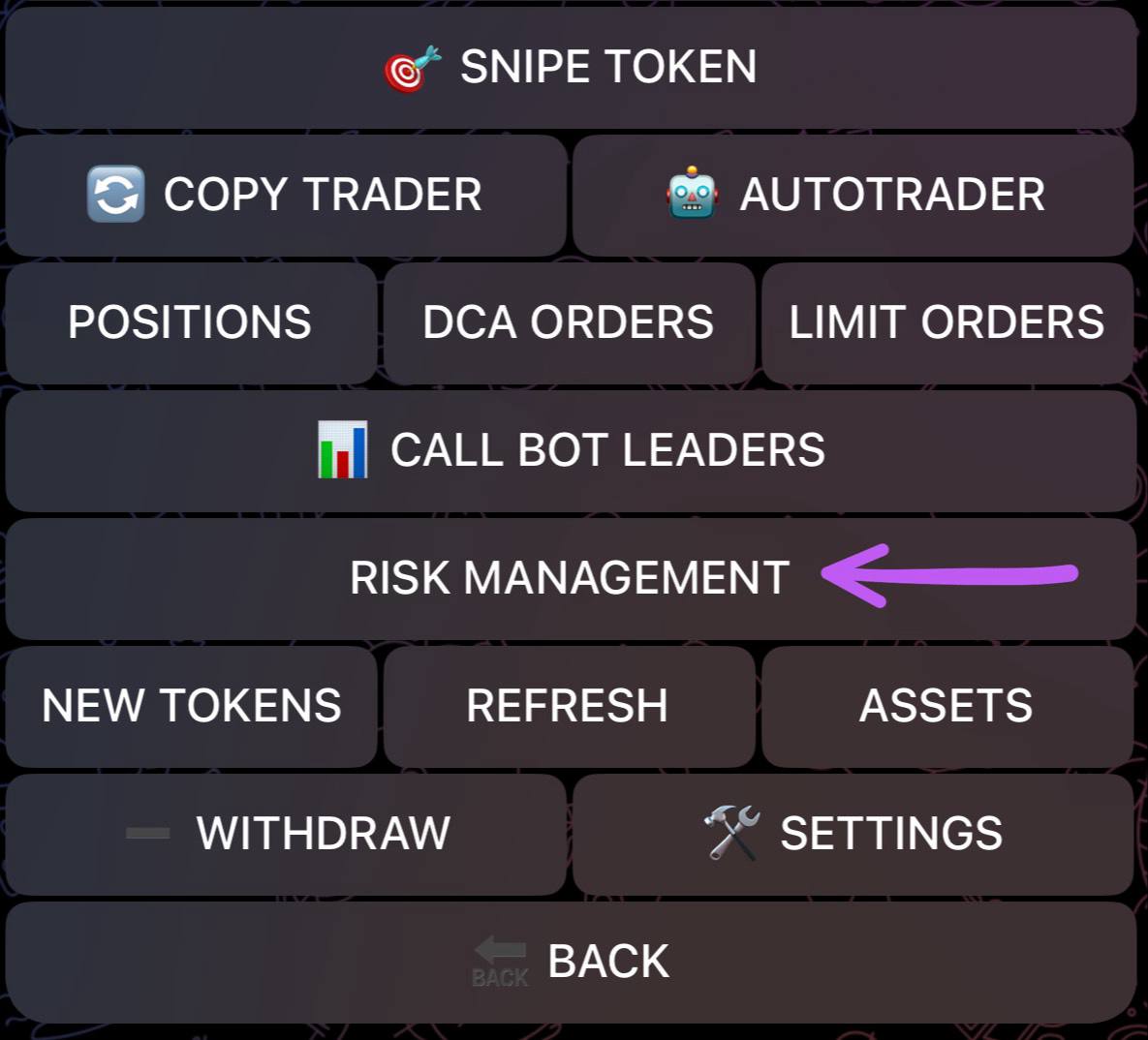
Tap Risk Management
In the AutoTrader menu, tap on the RISK MANAGEMENT button.
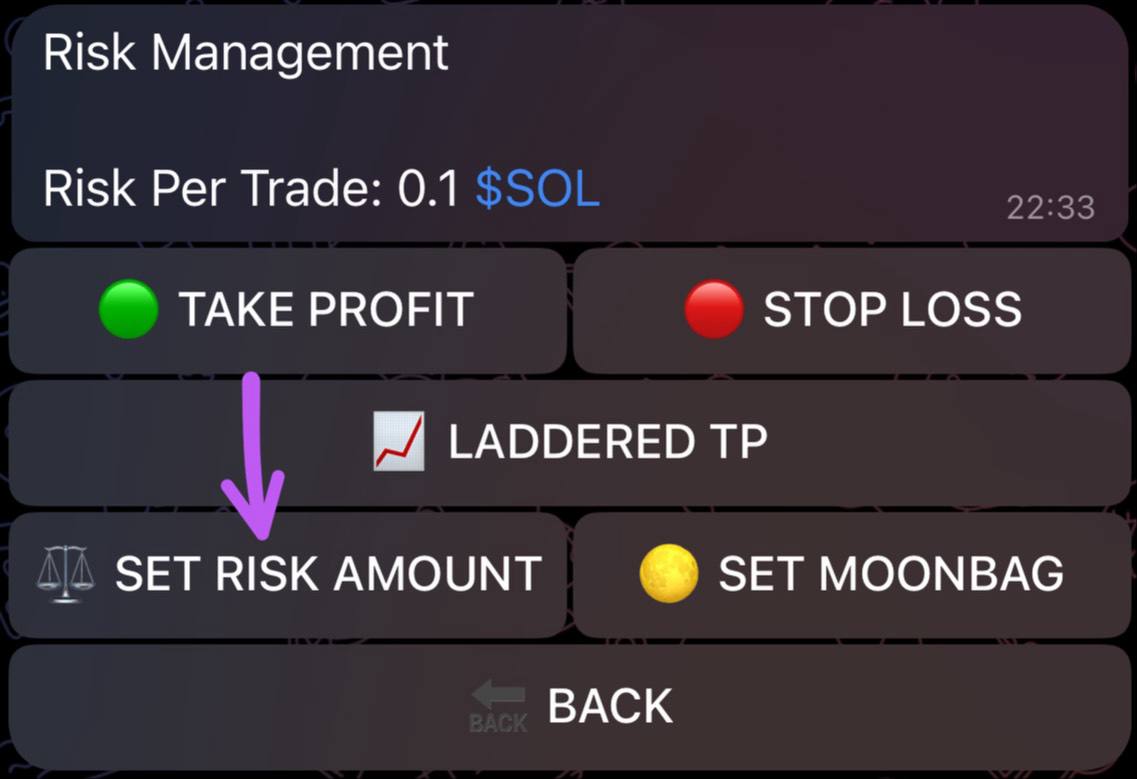
Select Set Risk Amount
In the Risk Management screen, tap on ⚖️ SET RISK AMOUNT.
Enter the amount of SOL
Enter the amount of SOL you want to use per trade. This will be used for each transaction.
Example
If you set it to 0.1 SOL, each trade will use 0.1 SOL from your selected wallet.
Note: Each wallet has its own risk amount. Make sure you configure it individually if you use multiple wallets.
This setting ensures you maintain consistent trade sizing and control your exposure.