Advanced Trade Management
SolCypher gives you a full suite of tools to manage your trades with precision. You can automate exits, secure profits, and protect your downside — whether you're auto trading or sniping.
Accessing Risk Management
To access the Risk Management settings:
- From the main menu, tap 🤖 AUTOTRADER
- Tap RISK MANAGEMENT
From here you can configure Take Profit, Stop Loss, Laddered TP, Risk Amount, and Moonbag settings.
Take Profit (TP)
Automatically sells a token when it reaches your defined % gain. Great for locking in profits without manually watching the chart.
Open Risk Management
Navigate to 🤖 AUTOTRADER → RISK MANAGEMENT.
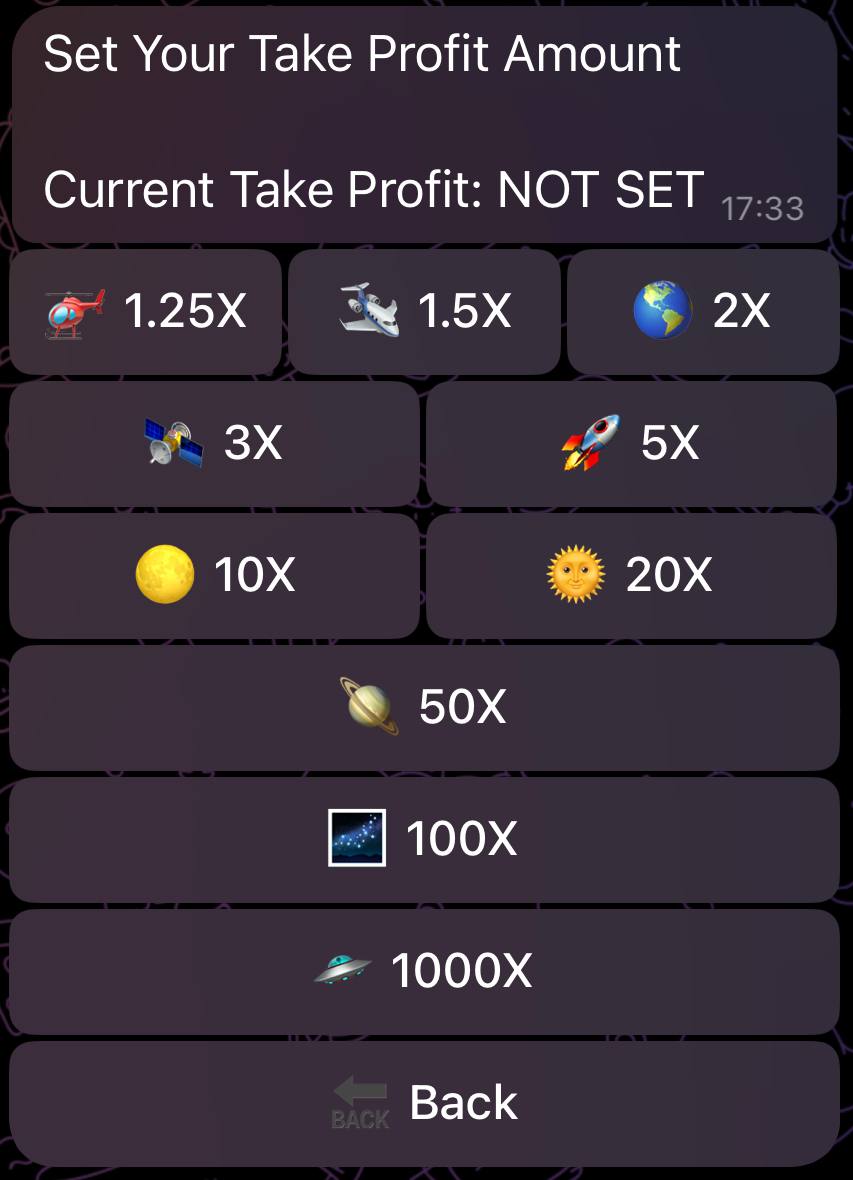
Tap Take Profit
Select 🟢 TAKE PROFIT.
Select your multiplier
Choose your preferred multiplier (e.g., 1.25X, 1.5X, 2X, 3X, 5X, 10X, 20X, 50X, 100X, or 1000X).
Stop Loss (SL)
Automatically sells if your token drops to a certain % loss. Use this to cap risk and avoid holding bags.
Select a percentage
Choose the percentage loss at which you want to automatically sell (-10%, -15%, -25%, -50%, -75%, or set a Custom SL).
Activate Stop Loss
Press the "TURN STOP LOSS ON" button to enable the feature.
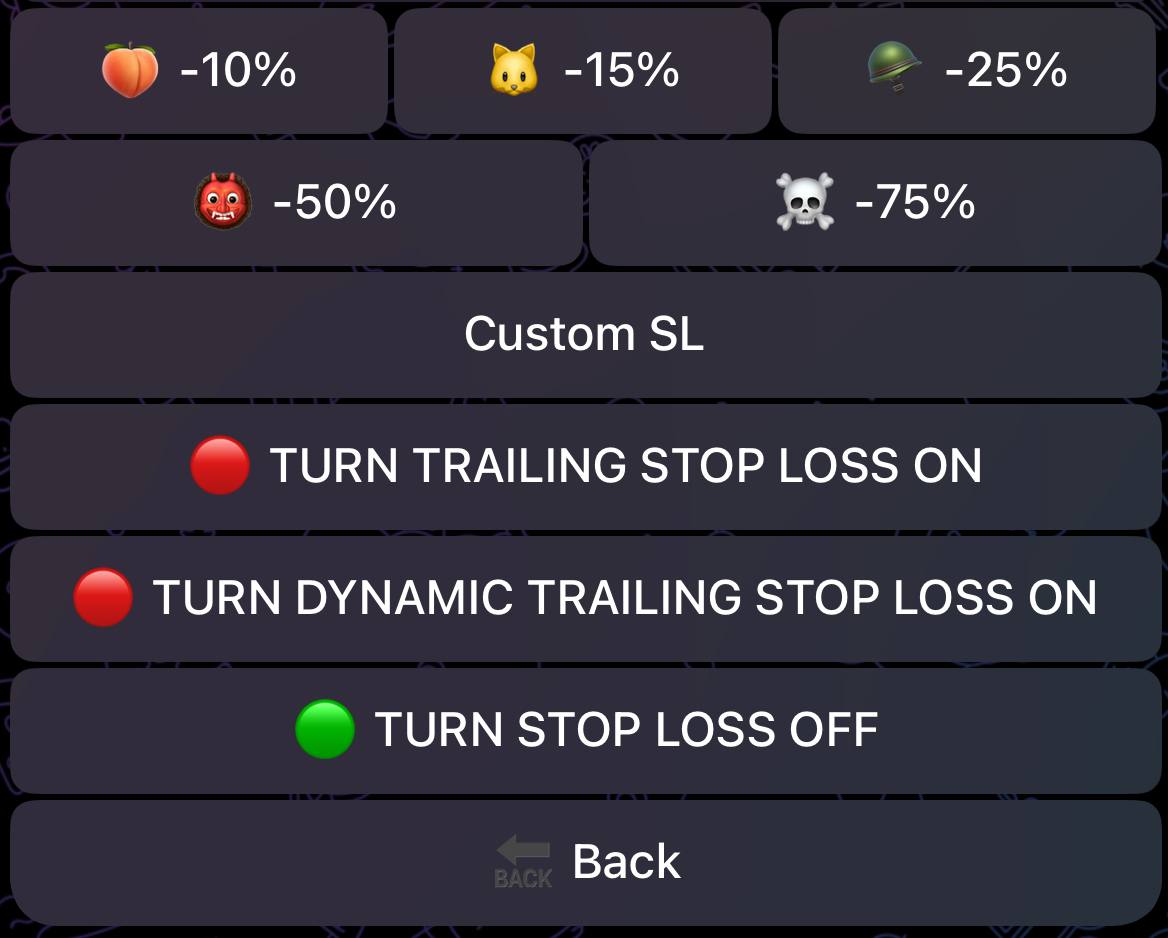
To disable the Stop Loss at any time, press the "TURN STOP LOSS OFF" button.
Moonbag Strategy
Sell a % of your tokens (e.g. 70%) once TP is hit, and keep the rest in case the token continues mooning. The remaining balance must be manually sold later.
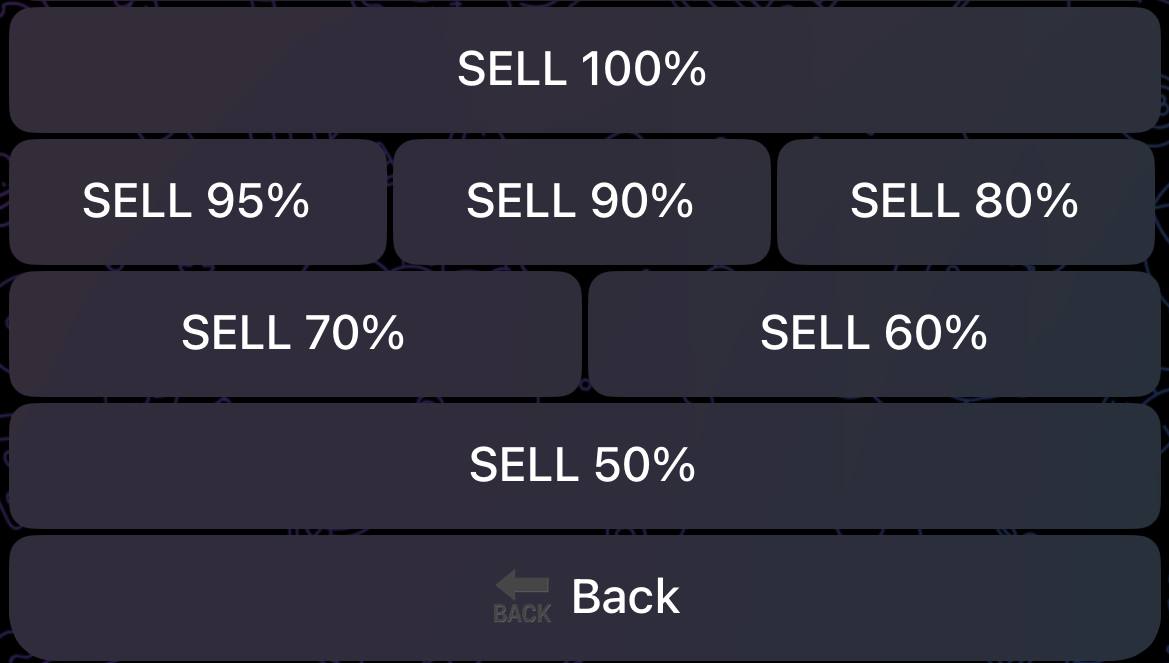
To disable the Moonbag feature entirely, simply set it to 100% sell—this means your entire position will be sold when your take profit is triggered.
Selling Moonbags
After your Take Profit strategy sells a portion of your tokens, the remaining balance—your "moonbag"—can be sold manually.
To do that:
Tap SELL from the main menu
Tap 🔴 SELL from the main menu to view your active positions.
Select the token
Find and tap on the token with your remaining moonbag balance.
Sell the remaining amount
Use the sell buttons (25%, 50%, 100%) or enter a custom amount to sell your moonbag.
Laddered Take Profit (5-Tier System)
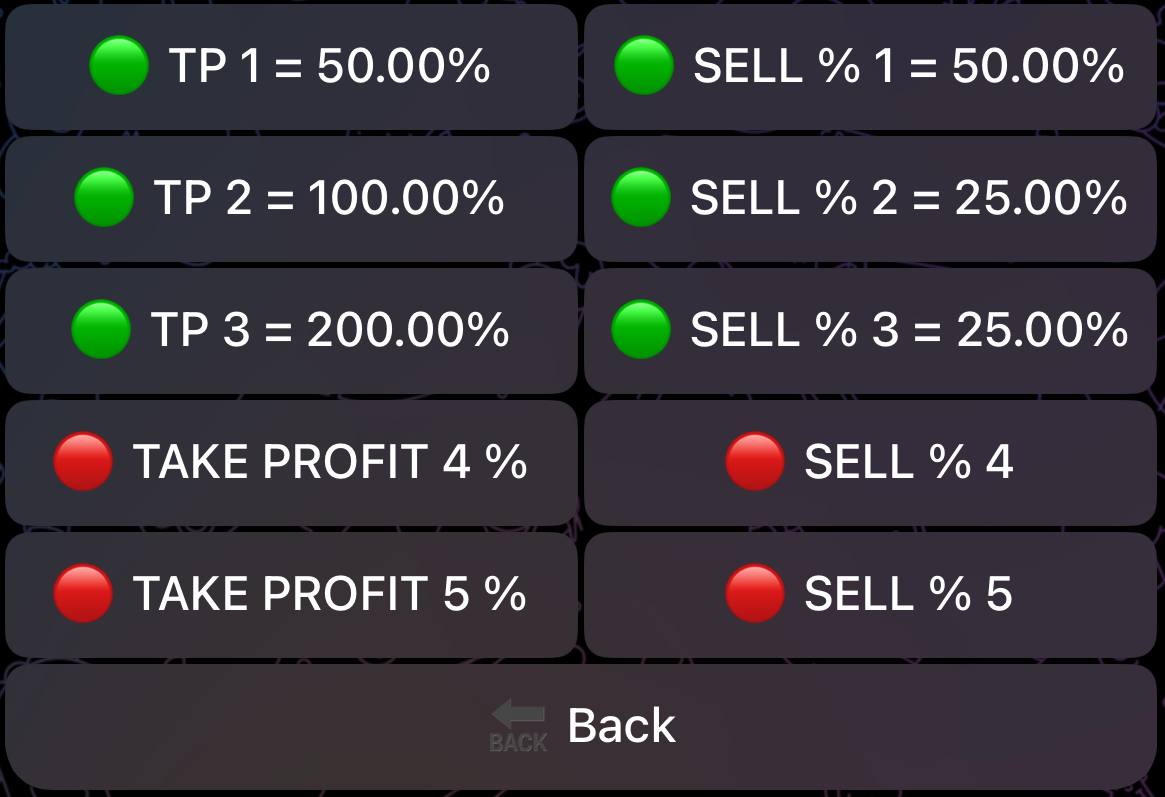
Take profit in stages using up to 5 separate take profit levels. This lets you scale out of winning positions gradually, securing profits while maintaining upside exposure.
How It Works
Each tier has two settings:
- Trigger – The multiplier at which this tier activates (e.g., 2X, 5X, 10X)
- Sell Percentage – How much of your remaining position to sell at this tier
Example Configuration
| Tier | Trigger | Sell % | Result |
|---|---|---|---|
| TP1 | 2X | 25% | Sell 25% at 2X gains |
| TP2 | 3X | 25% | Sell 25% of remaining at 3X |
| TP3 | 5X | 25% | Sell 25% of remaining at 5X |
| TP4 | 10X | 50% | Sell 50% of remaining at 10X |
| TP5 | 20X | 100% | Sell everything at 20X |
This strategy secures profits at each milestone while keeping exposure for bigger moves.
To turn LTP OFF, set all values to 0.
Trailing Stop Loss (TSL)
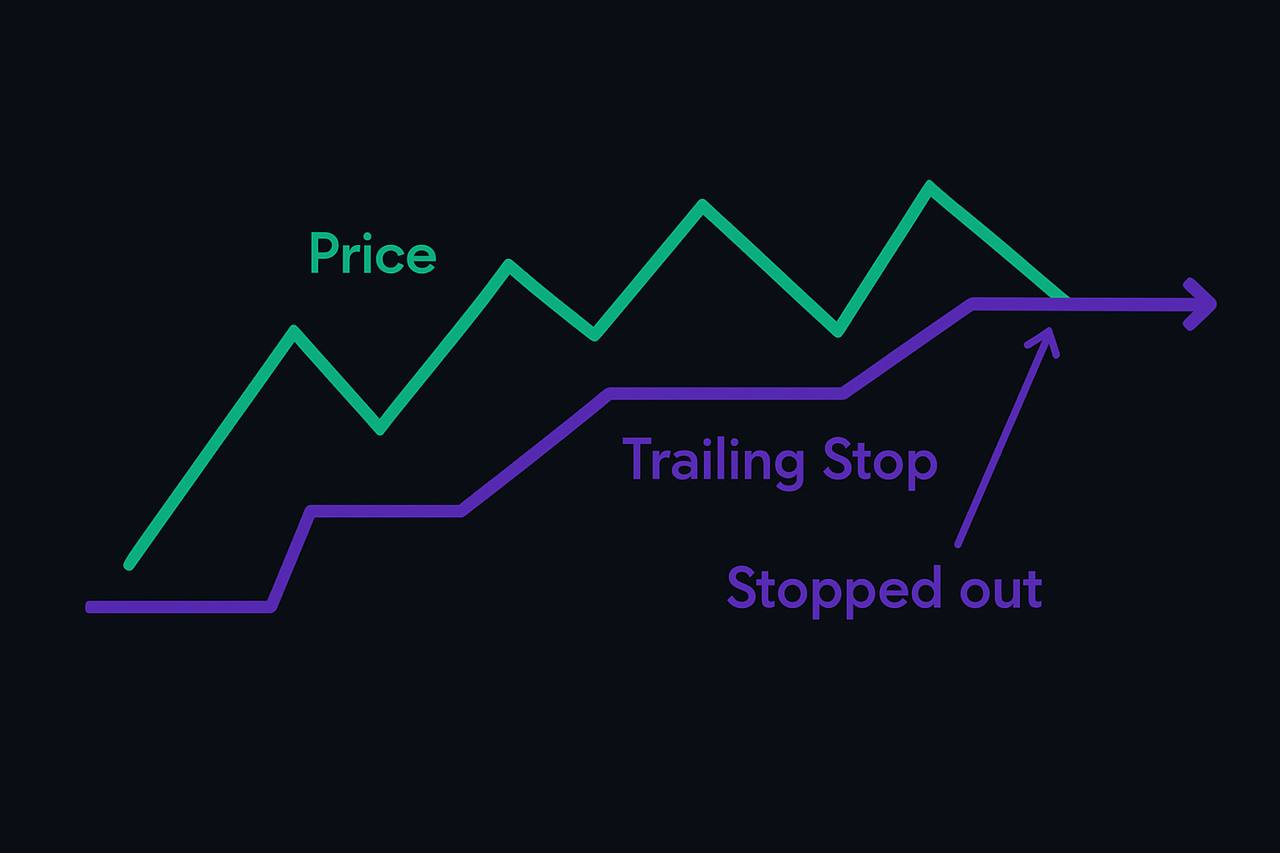
Dynamically adjusts your stop loss upward as the token price rises. Protects gains without limiting upside.
To enable Trailing Stop Loss:
Choose a Stop Loss percentage
Select your preferred stop loss percentage from the options.
Activate Stop Loss
Press "TURN STOP LOSS ON" button.
Enable Trailing Stop
Then press "TURN TRAILING STOP LOSS ON"
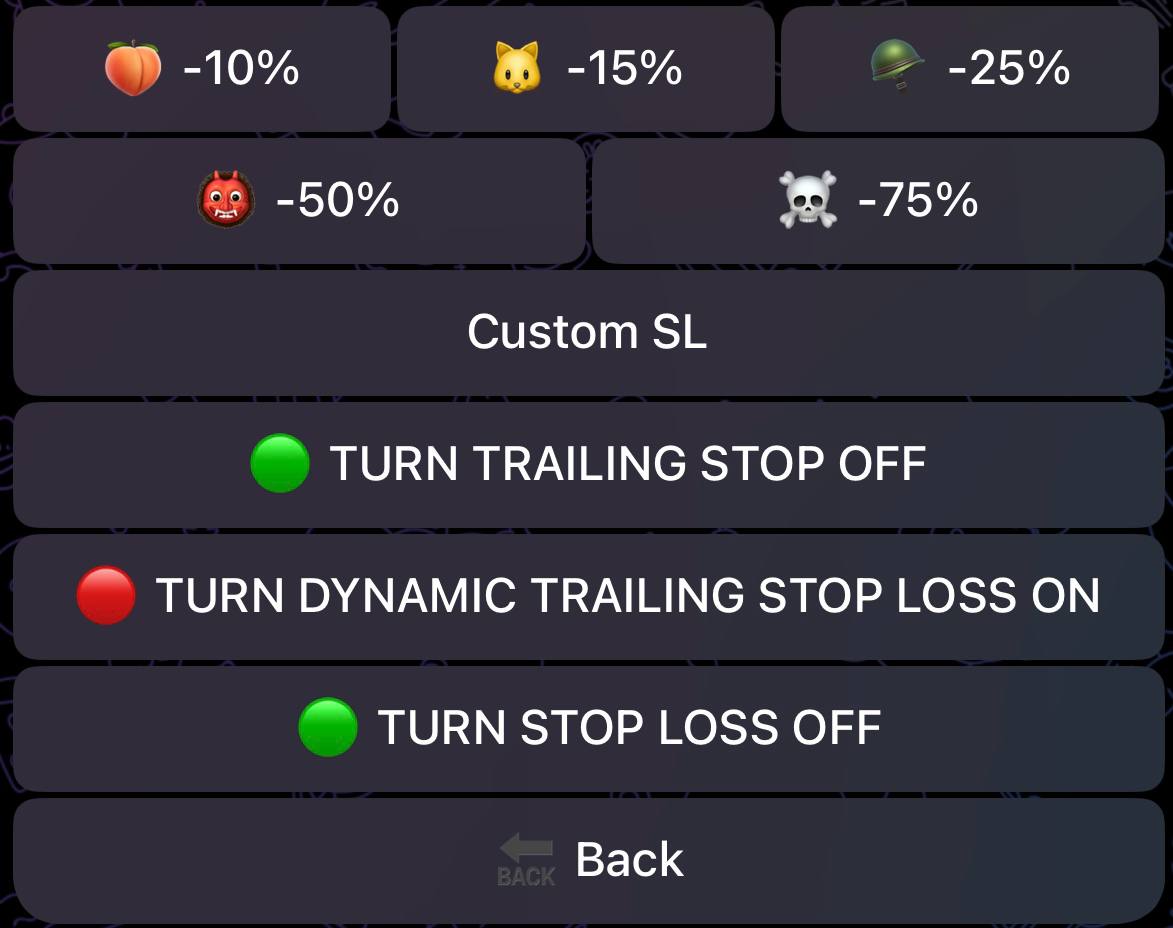
To disable, simply press "TURN TRAILING STOP LOSS OFF"
Dynamic Stop Loss
Shrinks the stop loss % as price increases. If a token reaches +100%, the bot may sell if it drops back to +98%. It tightens protection the higher the price moves.
To enable Dynamic Trailing Stop Loss:
Choose a Stop Loss percentage
Select your preferred stop loss percentage from the options.
Activate Stop Loss
Press "TURN STOP LOSS ON"
Enable Trailing Stop
Press "TURN TRAILING STOP LOSS ON"
Enable Dynamic Trailing Stop
Finally, press "TURN DYNAMIC TRAILING STOP LOSS ON"
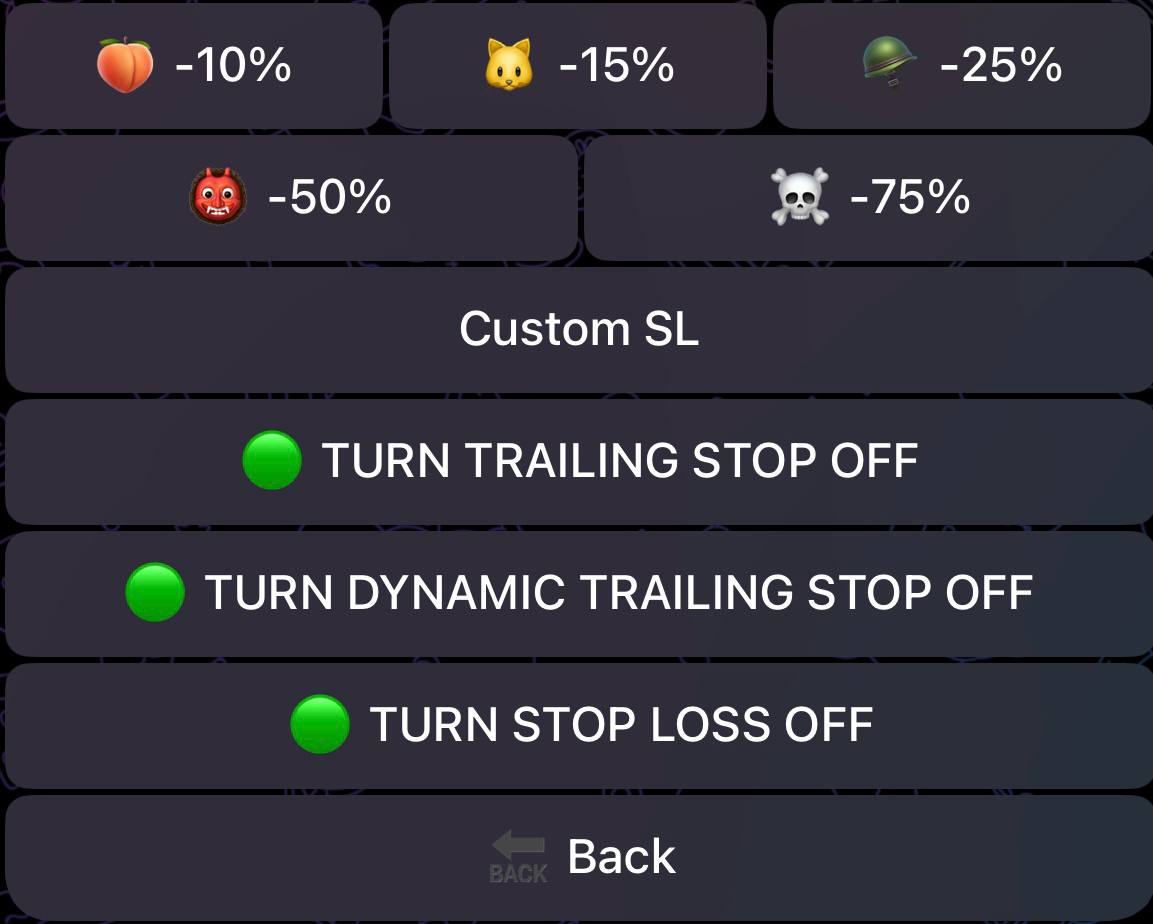
To disable, simply press "TURN DYNAMIC TRAILING STOP LOSS OFF"
DCA (Dollar Cost Averaging)
Smooth out your entries by spreading your buys across multiple price points. DCA automatically executes recurring buys at your specified intervals.
Learn more: DCA Orders Guide
Limit Orders
Set a market cap trigger for automatic execution. The bot monitors the token and buys when your target market cap is reached.
Learn more: Limit Orders Guide
Where to Enable These Features
- Take Profit, Stop Loss, Moonbag, Laddered TP, Risk Amount
- Main menu → 🤖 AUTOTRADER → RISK MANAGEMENT
- Dynamic Stop Loss & Trailing Stop Loss
- Inside Risk Management, tap 🔴 STOP LOSS to access trailing/dynamic options
- DCA & Limit Orders
- Accessible from the main menu: DCA ORDERS and LIMIT ORDERS buttons